5 photo fixes that save a reshoot

Wrong word on a sign, text tourists can't read, a plain background, missing words or something in the way: each one can be fixed in the photo you already have. Here are the five fixes from the video.

November 16, 2026·0:41·5 steps·YouTube Short

3.7· 69 ratings on the App StoreRated 3.7 out of 5

Tutorial

Step by step

5 steps. Press a step’s time to play the video from that moment, and tick steps off as you go.

0 of 5 done

What you need

  • ForgeIt on your phone
  • The photo you were about to reshoot
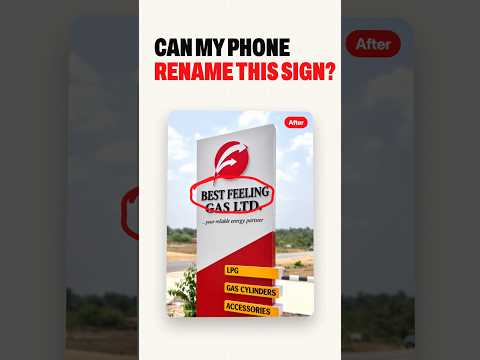
  1. Step 1: Replace a wrong word

    Wrong word on the sign? Tap it and type the new one. It keeps the same font.

  2. Step 2: Translate the text

    If people can't read it, translate the text right on the photo.

  3. Step 3: Swap a plain background

    Replace a dull background with a new one.

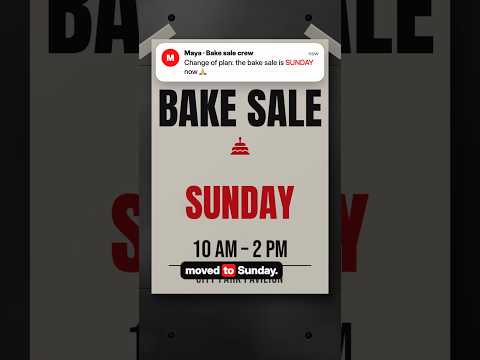
  4. Step 4: Add your own words

    Add new text on top of the photo.

  5. Step 5: Paint out what's in the way

    Something in the way? Paint over it and it's gone.

Five fixes, no reshoots.

About this video

Wrong word on a sign, a background you don't like, a poster nobody can read? Five fixes in ForgeIt, zero reshoots. Search ForgeIt on the App Store.

Manual text edits and background removal are free. No account needed.

Watch on YouTube
Full transcript
  1. Before you reshoot that photo… fix it live. Wrong word on the sign? Tap it, type the new one. Same font.
  2. Tourists can't read it? Translate it, right on the photo. Plain background? Swap it. Always free.
  3. Then add your own words on top. Something in the way? Paint over it. Gone.
  4. Five fixes. Zero reshoots. ForgeIt. Edit text in any photo.

More ForgeIt videos

All 15 videos